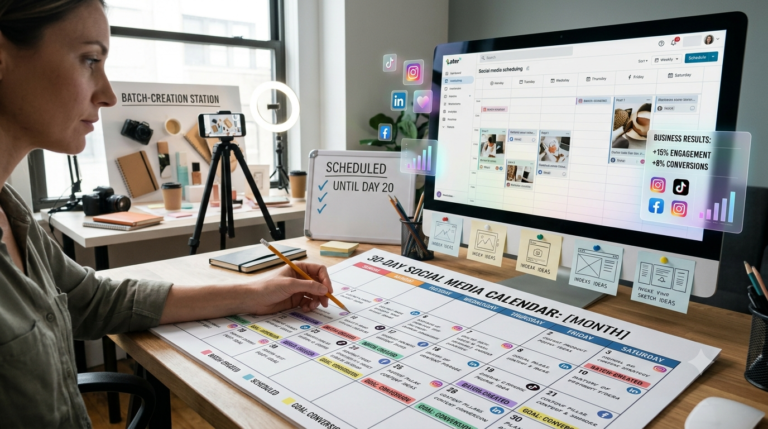
Building a 30-Day Social Media Calendar That Drives Business Results
Last quarter I audited a DTC skincare brand’s social account and found 47 posts in 30 days with zero connection to any business goal. Pretty photos, decent engagement, no revenue impact. That’s the trap most...
-
0 comments
-
51

Last quarter I audited a DTC skincare brand’s social account and found 47 posts in 30 days with zero connection to any business goal. Pretty photos, decent engagement, no revenue impact. That’s the trap most brands fall into: they confuse “consistent posting” with “strategic posting.” Here’s the calendar framework I use with clients to fix that — one that ties every post to a business outcome without turning your team into a content factory that burns out by day 12.
1. Start With Three Numbers, Not Content Ideas
Before you open a spreadsheet, define what this calendar needs to move: a traffic number, a conversion number, and an engagement number. For most brands I work with, that’s something like “12 link clicks to product pages per week,” “3 UGC-driven conversions per month,” and “engagement rate above 4% on Reels.”
Skip this step and you’ll end up with a content calendar that’s really just a posting schedule. Every post idea that follows should trace back to one of these three numbers — if it doesn’t, it doesn’t make the calendar.
2. Use the 40/40/20 Content Mix
I’ve tested a lot of ratios across e-commerce and SaaS accounts, and this one consistently outperforms the generic “80% value, 20% promo” advice you see everywhere:
- 40% product-in-context — not product shots, but the product being used, styled, or solving a problem
- 40% audience-building — behind-the-scenes, founder story, customer transformation, trend participation
- 20% direct-response — straight offers, launches, urgency-driven CTAs
The mistake most brands make is inverting this — going heavy on aspirational brand content and light on anything that actually drives a click. Your audience-building content earns the attention; your direct-response content converts it. You need both, in that ratio, every week.
3. Batch by Content Type, Not by Day
Don’t sit down and try to create “Monday’s post,” then “Tuesday’s post.” Batch by format instead — shoot all your product-in-context photos in one session, write all your captions in one sitting, film all your Reels hooks back-to-back. Context-switching between formats is what makes content creation feel endless.
For a 30-day calendar, I block two batch days per month:
- Batch Day 1: All visual assets — photos, video clips, graphics (aim for 20–25 raw assets)
- Batch Day 2: All copy — captions, hooks, CTAs, hashtag sets
This alone cuts content production time by roughly 60% compared to a day-by-day approach, based on what I’ve seen across client accounts.
4. Build the Grid in a Simple 4-Column Format
Skip the elaborate content calendar tools until you actually need them. A spreadsheet with four columns gets you 90% of the value:
| Date | Pillar (Product/Audience/DR) | Platform + Format | CTA/Goal |
The CTA/Goal column is the one people skip, and it’s the most important. If a post doesn’t have a stated goal — “drive profile visits,” “get saves for retargeting,” “push to link in bio” — you can’t evaluate whether it worked.
5. Platform-Adapt, Don’t Platform-Duplicate
Posting the same square image with the same caption on Instagram, TikTok, and Facebook is why engagement rates tank. Each platform rewards different behavior:
- Instagram: Saves and shares matter more than likes — design content people want to reference later (checklists, before/afters, carousels)
- TikTok: Native, unpolished, hook-in-first-2-seconds wins over produced content
- Facebook: Longer captions and link-friendly posts still perform, especially for a 35+ audience
Take one core content idea per week and adapt it three ways rather than creating three separate ideas. A single customer testimonial can become a carousel on Instagram, a talking-head clip on TikTok, and a text-forward post on Facebook — same story, three formats.
6. Build in a Weekly Review Checkpoint
Every Friday, pull three metrics against the goals you set in Step 1: link clicks, saves/shares, and conversion-attributed traffic (use UTM parameters on every link — non-negotiable). This takes 15 minutes and tells you whether week two’s calendar needs adjusting before you batch it.
I’ve seen brands discover mid-month that their “audience-building” content was driving triple the link clicks of their “direct-response” posts — meaning the story-first approach was actually the better converter. You only catch that with a weekly checkpoint, not a monthly retro.
7. Leave 15% of the Calendar Unplanned
Reserve roughly 4–5 slots out of 30 days for real-time content — trending audio, timely news-jacking, customer moments that happen mid-month. A calendar that’s 100% pre-planned can’t react to what’s actually working or what’s happening in your market that week. The brands that look “spontaneous” on social are usually the most disciplined planners — they’ve simply built the room for it in advance.
The Bottom Line
A 30-day social calendar isn’t about filling squares — it’s about tying every post to a specific business number, batching production so it doesn’t consume your week, and leaving enough flexibility to react to what’s actually converting. Get the 40/40/20 mix and the weekly checkpoint right, and the calendar starts working for your growth goals instead of just keeping your feed alive.



Latest Posts